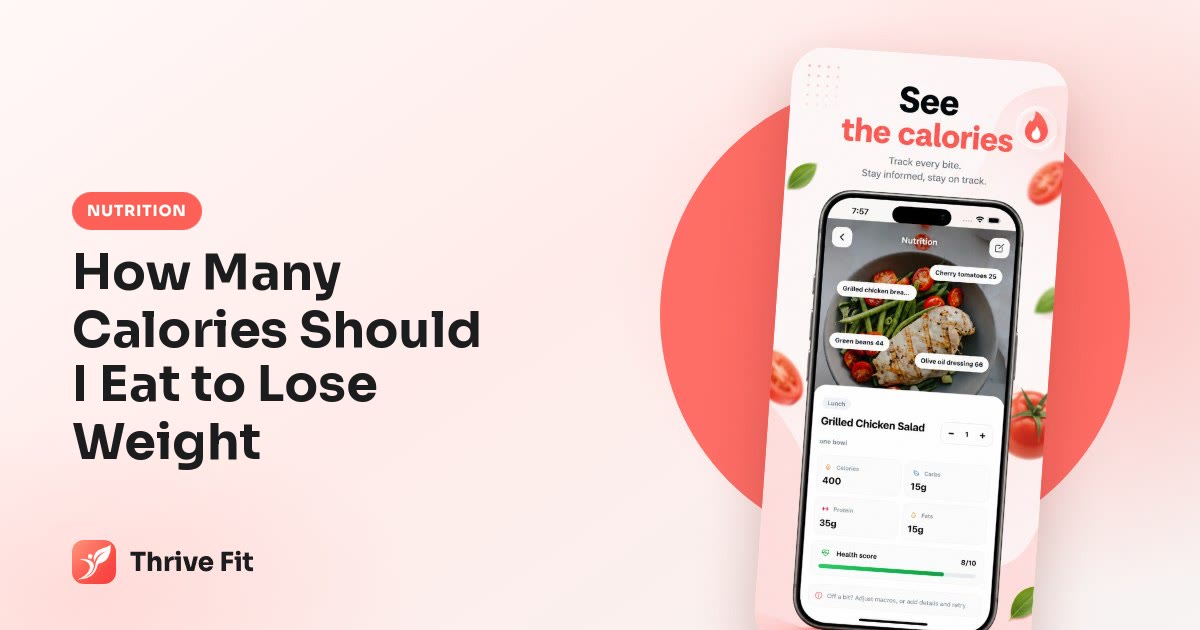
A calorie counterthat starts with a photo

Point your camera at your plate. Thrive Fit estimates calories and macros, you check the numbers, and the meal is in your log. No barcode hunting, no weighing every bite.

Download Thrive Fit on the App StoreGet Thrive Fit on Google Play

On iPhone and Android · $7.99/week or $39.99/year · Cancel any time

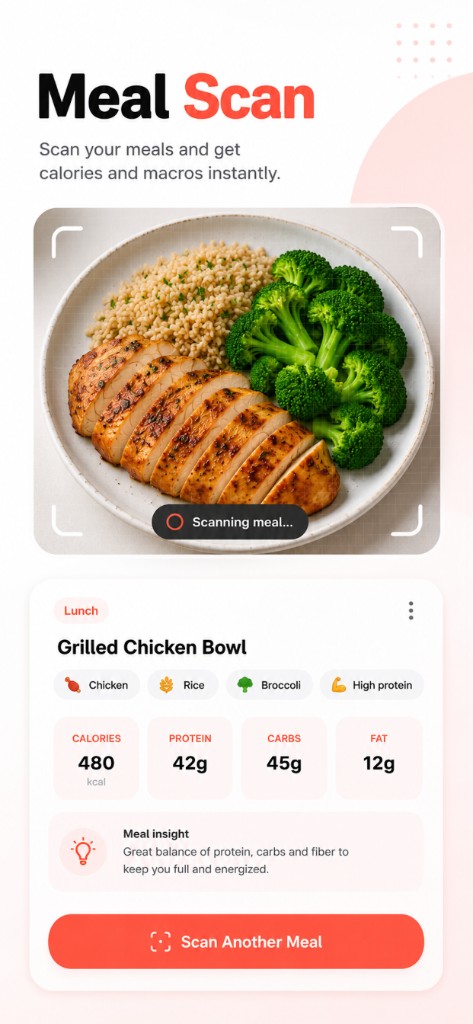
Meal Scan reading calories and macros from a food photo

Snap, check, log

Meal Scan reads calories, protein, carbs and fat from one photo.

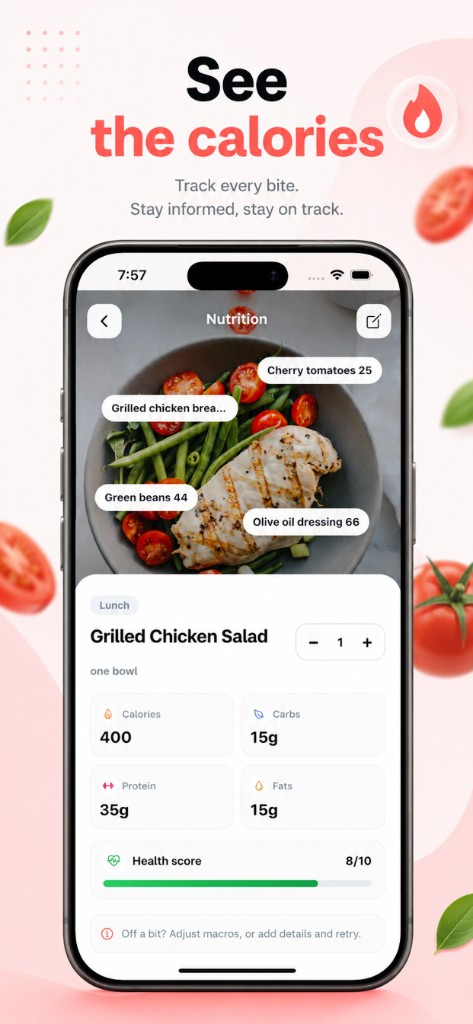
Daily calories and macros in the Thrive Fit food log

See your day at a glance

Calories and macros against your targets, updated with every meal.

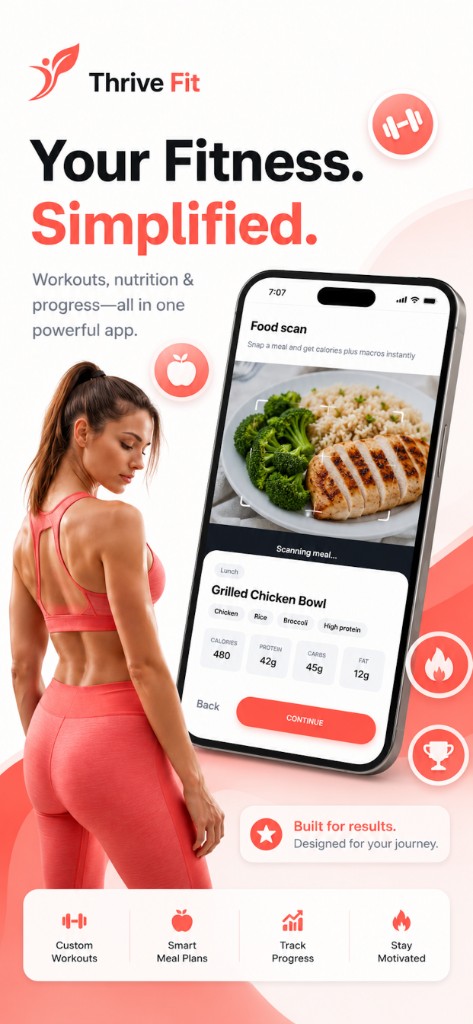
The Thrive Fit home screen with today’s plan

Targets built for your goal

Your calorie and macro targets come from your body, activity and goal.

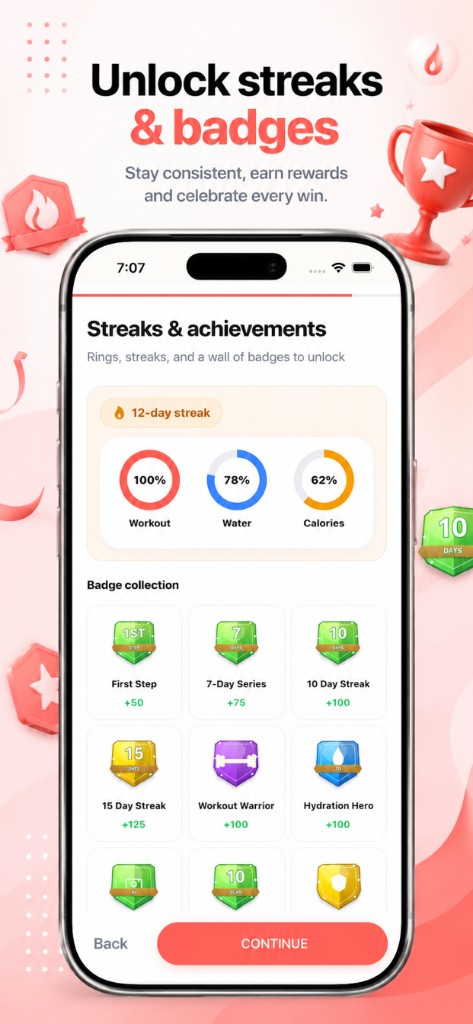
Workout streaks and achievement badges in Thrive Fit

Logging becomes a streak

Every day you log keeps your streak alive.

Track your first meal in under a minute

  1. Set your goal

    Enter your height, weight, age and activity, then choose lose, maintain or build.

  2. Snap your meal

    Take a photo. Thrive Fit estimates the calories and macros for you.

  3. Adjust and save

    Fix the portion if needed and add it to breakfast, lunch, dinner or a snack.

Why most people stop counting calories

Calorie counting works. The trouble is that typing every ingredient into a search box, guessing at grams and scrolling through a dozen entries for "chicken salad" gets old within a week. Once logging feels like homework, people log the easy meals and skip the rest, and the numbers stop meaning anything.

A photo changes that. It takes a few seconds, works for home-cooked food and restaurant plates, and gives you a reasonable estimate you can correct. A log that is 90% complete is far more useful than a perfect log you abandon on Wednesday.

How Thrive Fit sets your calorie target

Your daily target starts with your resting energy needs, calculated with the Mifflin–St Jeor equation from your height, weight, age and sex. That number is multiplied by an activity factor to estimate what you burn in a day, then adjusted for your goal: a moderate deficit to lose weight, the same amount to maintain, or a small surplus to build. You can try the same math in our free calorie calculator.

Macros follow from the calories. Protein is set to support muscle while you lose fat, and the rest is split between carbs and fat. Every source is listed on our health sources page.

Getting accurate results from a food photo

  • Shoot from above in good light, with the whole plate in frame.
  • Separate foods where you can, so the scan sees each one.
  • Check the portion. A photo can’t tell a 150 g steak from a 250 g one, so adjust it if you know.
  • Remember the extras: oils, dressings and sauces add up fast and are hard to see.

Estimates from a photo are approximate, the same as a nutrition label is. What matters is that you log consistently, so the trend over a week is right even when one meal is a little off.

More than a calorie counter

Tracking tells you where you are; a plan tells you what to eat next. Thrive Fit includes 16 seven-day meal plans, from weight loss and high-protein to keto, vegetarian and Mediterranean, with full recipes and macros for every meal. Add guided home workouts and water targets, and the whole day is in one app instead of four.


Common questions

How accurate is the photo calorie counter?

It gives an estimate, like any photo-based tool. Accuracy is best with clear, well-lit photos of separate foods. You can always edit the portion and numbers before saving.

Does Thrive Fit track macros as well as calories?

Yes. Every logged meal shows protein, carbs and fat, and your daily totals are compared with your macro targets.

How many calories should I eat to lose weight?

It depends on your size, age and activity. Thrive Fit calculates a target for you; you can also use the free calorie calculator on this site for a starting point.

Can I use it without following a meal plan?

Yes. You can log whatever you eat with a photo. The meal plans are there if you want ideas, not required.

Your plan is one download away

Pick your goal and Thrive Fit builds the rest: workouts, meals and daily targets, all in one app.

Download Thrive Fit on the App StoreGet Thrive Fit on Google Play